
Professional Standards for Professional Results

N3 Professional Standards – 3-Page PDF
Engineering Resources, Operational Readiness & Professional Practices
N3-POS-001 | Revision 7.0 | Professional operating standard / employer evaluation & pre-hire readiness
Technical excellence is achieved through the combination of experience, sound judgment, appropriate resources, and consistent operating practices.
Throughout my career in field engineering, industrial automation, information technology, electronics, and systems integration, I have developed and refined a practical set of professional operating standards. These standards reflect decades of hands-on experience, including equipment failures, design limitations, unsuccessful approaches, and the lessons learned from resolving complex technical problems in demanding environments.

My equipment selections and working methods are based on demonstrated suitability, reliability, serviceability, efficiency, and lifecycle value. Having disassembled, diagnosed, repaired, and configured hundreds of computers, laptops, servers, and electronic devices, and built at least a hundred custom desktop computers, I have developed a particular appreciation for hardware and firmware that behave predictably in day-to-day engineering use. Laptop platform selection is especially consequential because the system design, firmware, power management, cooling, connectivity and serviceability are closely integrated. Similar principles apply to diagnostic and test equipment, software environments, technical documentation, and business travel.
The objective is to establish an efficient working environment in which engineering resources are aligned with the responsibilities of the position. These standards reflect practical field experience, failure analysis, corrective action and the elimination of recurring inefficiencies. The standards and associated employer provisions form the basis for pre-hire evaluation, procurement and operational readiness.

1. Purpose & Scope
This standard defines baseline equipment, role-dependent employer provisions and preferred operational arrangements for Field Service, Field Engineering, Automation & Controls Engineering, Systems Integration and Information Technology. It applies to employer evaluation, offer preparation, procurement and onboarding, subject to applicable safety and security requirements.
2. Operating Principles
- Technical excellence: select equipment and methods based on demonstrated suitability and sound engineering judgment.
- Operational readiness: provide the necessary resources before deployment or assignment.
- Standardization: reduce configuration variability, redundant equipment, and avoidable troubleshooting.
- Lifecycle efficiency: consider acquisition, support, serviceability, downtime, and engineering labor together.
- Continuous improvement: incorporate lessons from field experience, failures, and corrective actions.
3. Classification of Standards & Provisions
| Classification | Application |
|---|---|
| Minimum standard | Established baseline for a compliant mobile engineering workstation; employer provision is the standard, with approved BYOD as a defined alternative. |
| Role-dependent provision | Resources, access, equipment and support defined in proportion to assigned responsibilities. |
| Professional preference | Established provider or working arrangement; practical alternatives may be agreed. |
| Operating procedure | Repeatable method for establishing, verifying, maintaining or improving readiness. |

4. Mobile Engineering Workstation
The laptop is a primary engineering instrument, not merely an administrative endpoint. It must support direct equipment connectivity, development environments, diagnostics, remote support and reliable transitions between customer sites. My established minimum is a Lenovo laptop with an AMD processor. Dell laptops and Intel-based laptops, including Dell Precision Intel workstations, do not meet this standard. This procurement standard is based on accumulated field experience and verified workflow requirements.

4.1 Minimum Laptop Standard
| Component | Minimum standard |
|---|---|
| Manufacturer | Lenovo laptop (no Dell substitution) |
| Processor | AMD Ryzen / Ryzen PRO / Ryzen AI, x86-64 (no Intel substitution) |
| System memory | 16 GB RAM |
| Internal storage | 512 GB SSD (Stock); NVMe preferred |
| Wired network | Integrated RJ45 Ethernet; USB Ethernet alone is not a substitute |
| Power management | Verified lid-close hibernation and resume on AC and battery; effective ACPI and power policies must preserve required behavior |
| Fingerprint authentication | Working Windows Hello fingerprint reader, integrated preferred; employer-supplied approved compact USB reader where not integrated. Effective policy must permit biometric sign-in. |
| Local administration | Authorized local administrator rights on the assigned engineering laptop; corporate and customer systems remain subject to separate access authorization. |
| Operating system | Windows 11 Pro / Enterprise where required; approved Linux or dual-boot provisions when justified |


My standard for Lenovo AMD laptops is supported by more than a decade of field-tested Lenovo laptop experience. In three successive employment settings, assigned Dell Intel laptops introduced recurring difficulties that consumed valuable engineering time. By comparison, my own AMD ThinkPad E16 Gen 1 (Ryzen 5 7530U) has been in near-daily, all-day use since purchase with minimal time lost to hardware-related workflow interruptions. This is an experience-based procurement standard. Reliable lid-close hibernation, resume and fingerprint authentication are essential to mobile workflow; acceptance is based on actual behavior under the deployed BIOS/UEFI, drivers, OS and effective management policies.

4.2 Role-Appropriate Equipment Tiers
| Configuration | 1. Standard / Field Automation | 2. Advanced / Pro |
|---|---|---|
| Recommended laptop | ThinkPad E16 Gen 3 AMD | Legion Pro 5 Gen 10 AMD (16ADR10) |
| Processor | Ryzen 5 230 or Ryzen 7 250 (6 or 8 cores) | Ryzen 9 8945HX (16 cores / 32 threads) |
| RAM | 16 GB | 16 GB listed; 32 GB preferred; 64 GB only if supported and justified |
| Graphics | Radeon integrated | RTX 5070, 8 GB GDDR7 |
| Storage | 512 GB SSD (Stock) + Samsung 990 EVO Plus 2 TB | 1 TB SSD (Stock) + Samsung 990 PRO 2 TB |
| Combined nominal storage | 2.512 TB | 3 TB |
| Fingerprint reader | Integrated on Lenovo 21ST0004US; exact Amazon SKU to be verified | Approved USB Windows Hello reader required |
| Typical use | Field automation, PLC/HMI diagnostics, IT, documentation; battery-oriented mobility | Frequent video editing, substantial software development, 3D design, simulation, vision, multiple VMs and desktop replacement |
| Laptop estimate | $1,100 | $1,880–$2,020 |
| Additional SSD | $400 | $420 |
| Fingerprint reader allowance | $0 (integrated) | $60 |
| Estimated hardware subtotal | $1,500 | $2,350–$2,500 |
| Laptop purchasing reference | E16 Ryzen 5 / E16 Ryzen 7 | Legion Pro 5 (Lenovo Direct) |
| Samsung SSD (Amazon) | 2 TB EVO Plus | 2 TB PRO |
| Lenovo specifications | PSREF: 21ST0004US (Ryzen 7 250) | PSREF: 83LTCTO1WWUS / 16ADR10 platform specifications |
USD planning estimates compiled late 2026; not live checkout quotations or confirmed stock.
Laptop Sourcing & Pricing Details
The Standard Amazon listings and Lenovo Direct Advanced / Pro configuration are procurement references; equivalent Lenovo AMD configurations must meet the minimum standard. SSD allowances reflect earlier retail observations. Exact SKU, CPU, RAM, GPU, RJ45, SSD slots, OS, warranty and pricing require procurement verification. Subtotals exclude optional RAM, installation, OS upgrades, tax and warranty.
Fingerprint Authentication & Compatibility
The Advanced / Pro estimate includes a $60 planning allowance for an employer-approved Windows Hello USB fingerprint reader (e.g., Kensington VeriMark IT), because Lenovo PSREF lists no integrated fingerprint reader for the Legion Pro 5 16ADR10. Compatibility with effective Windows Hello for Business and device-management policies is a condition of acceptance. The E16 21ST0004US has an integrated reader.
SSD Installation & Thermal Requirements
Storage standard: retain the factory SSD in both configurations and install the specified bare Samsung 2 TB M.2 2280 NVMe drive in the available second slot. The Standard uses the 990 EVO Plus with mobile power efficiency as a selection priority; the Advanced / Pro uses the 990 PRO for higher-performance workloads. Samsung reports typical active power of 4.6 W read / 4.2 W write for the 2 TB EVO Plus; the 2 TB PRO is rated at 5.5 W average active power. Actual battery runtime depends on workload, firmware, power states and the complete system; no runtime improvement is guaranteed. Lenovo specifies one M.2 2242 and one M.2 2280 slot on the E16 reference and two M.2 2280 slots on the Legion reference platform. Exact model compatibility, mounting standoff and screw, available clearance, heat spreader and manufacturer-approved thermal interface must be verified. No oversized retail heatsinks; no forced fit or stacking of incompatible thermal materials. If the second slot is unavailable, an approved replacement-drive configuration with backup and migration is required.

4.3 Workstation provision selection:
Employer purchase of a Standard Lenovo AMD workstation is recommended for field automation, diagnostics, IT and routine engineering. Advanced / Pro is recommended for frequent or serious video editing, sustained GPU-intensive workloads, substantial software development, 3D design and desktop-replacement workloads. Approved BYOD using my ThinkPad E16 Gen 1 AMD is an alternative for Teams, browser-based work and externally accessible infrastructure, with defined security, support, business-data separation and offboarding provisions.
Roles requiring internal servers, customer networks, PLC development or privileged engineering tools require a compliant managed workstation or a formally authorized BYOD access arrangement. Employer-provided equipment is the standard allocation of equipment risk. Business travel and field work expose laptops, tools and luggage to loss, theft and damage. Personal equipment is not a substitute for employer investment or an uninsured assumption of business risk. Approved personal-device use requires written replacement or loss coverage, including business-travel incidents, and a continuity arrangement; a zero-reimbursement policy is incompatible with reliance on employee-owned work equipment.

5. Engineering Software, Connectivity & Access
Role-dependent provisions include properly licensed development and diagnostic software, compatible versions for legacy and current controls platforms, approved virtualization, secure remote access to authorized on-site servers and files, and access to technical documentation. Field work may require local static IP configuration, USB/serial adapters, approved removable media, vendor utilities, and legacy Allen-Bradley communication cables/interfaces (e.g., appropriate DF1, DH-485 or DH+ adapters where installed equipment requires them). Legacy interfaces are matched to the actual controller, connector and protocol; visually similar connectors do not imply electrical or protocol compatibility.
Authorized local administrator rights on the engineering laptop are a standard provision, enabling vendor software and drivers, network configuration, system diagnostics and virtualization without recurring administrative delays. The privilege applies to the assigned endpoint, not to domain administration, servers or customer systems without separate authorization. Corporate security controls, audit requirements, approved VPN and recovery arrangements remain in effect. Where Linux dual boot is required, approved partitioning, BitLocker recovery-key escrow, encryption compatibility and boot policy are part of the workstation configuration. Any engineering IT policy exception must be formally authorized and documented before the offer is finalized.

6. Mobile Communications & Data
The communications standard is an Android smartphone, preferably OnePlus with high-quality cameras for equipment documentation, technical photography and remote support. Apple iPhone / iOS substitutions do not meet this standard because they require relearning an established mobile workflow. The preferred arrangement is BYOD with a monthly employer-funded cellular and mobile-hotspot allowance instead of a second company phone. My continuity arrangement includes an identical hot spare, maintained charged, synchronized with approved cloud services, signed in where permitted and ready for rapid activation. This reduces the impact of loss, damage or device failure while maintaining a familiar communications workflow.
The communications provision includes a defined monthly allowance, adequate hotspot data capacity, roaming where applicable, approved work-profile or device-management arrangements, MFA recovery and separation of corporate and personal data. Corporate sessions and synchronization on the spare remain subject to approved security controls. Where a company-owned device is required, it must meet the Android platform standard; device ownership and management are documented as part of the provision.

7. Business Travel & Logistics
| Category | Professional preference / provision |
|---|---|
| Air travel | Delta Air Lines |
| Rental vehicles | Hertz |
| Accommodations | Holiday Inn Express / IHG |
| Booking | Employee-directed booking within agreed policy, schedule and budget |
| Company card | Company purchasing / travel card; $10,000 per month typical purchasing/travel card limit |
| Regional travel | Preauthorized regional travel range of approximately 10 hours of driving per day, with mileage reimbursement at the agreed rate and no routine case-by-case approval; subject to safe driving, rest and applicable policies |
| Baggage | Approved checked tool baggage and additional baggage for extended deployments as appropriate |
| Deployment & recovery | Defined actual travel percentage, deployment duration, weekends away, transit time, predictable home-time and recovery arrangements, lodging, laundry and transportation |
Business travel is evaluated on total operational cost: schedule reliability, customer-site proximity, equipment transportation, administrative effort and time in transit. Approximately ten hours of driving represents the typical daily regional travel range, subject to safe driving conditions and appropriate rest. Extended deployments require realistic travel percentages, defined deployment durations and predictable home-time and recovery arrangements. Consecutive nights away, weekends away and transit days are included in evaluating the actual impact of travel.
8. Professional Tools, Safety & Procurement
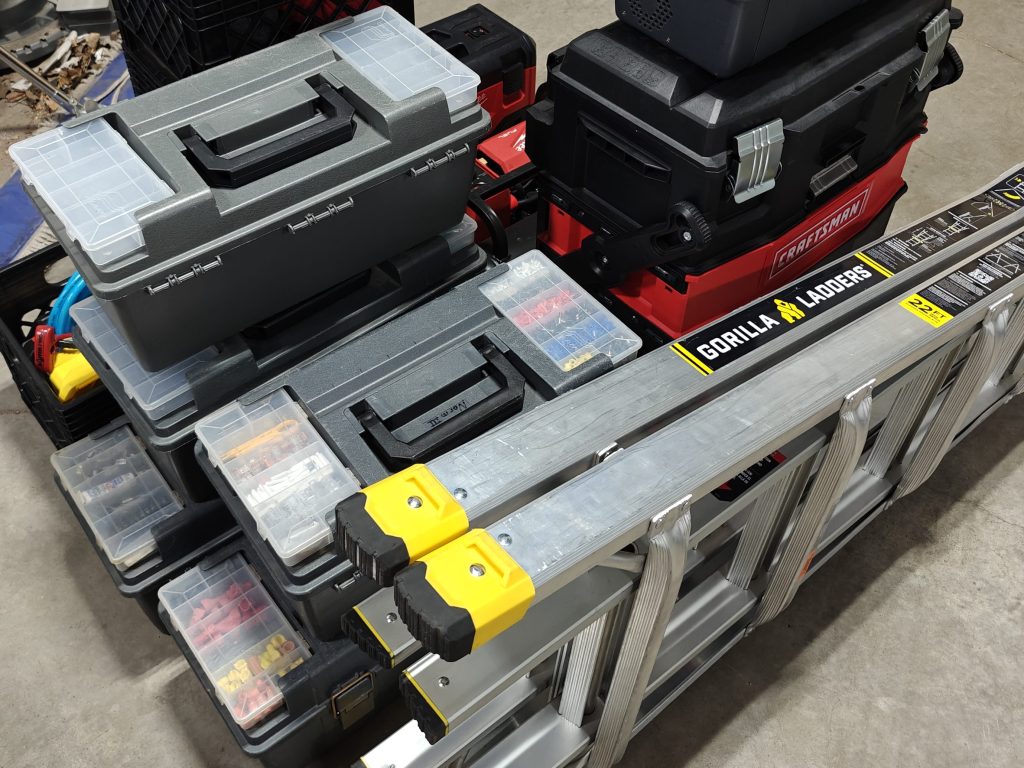
Professional-grade diagnostic instruments, appropriate hand tools, compatible cordless battery platforms, and serviceable storage systems are selected for the work being performed. Preferred manufacturers include Milwaukee, Fluke, Klein Tools, Wera, Knipex, selected Craftsman and DeWalt products, and FLIR for thermal imaging where appropriate.
Role-dependent employer provisions include company-provided diagnostic and test equipment, field equipment, role-appropriate tool kits, software licenses, calibration, repair and replacement. A defined tool and equipment budget, delegated purchasing authority and written ownership and loss arrangements support operational continuity. Personal tools are not presumed to be employer inventory. Uniform, safety/PPE and safety-boot allowances or company-provided equivalents form part of the operating provisions. Required PPE and suitably rated equipment are available before work begins. Detailed inventories are maintained as separate technical references.

9. Scope, Authority & Professional Support
Technical responsibility is accompanied by corresponding authority, access and resources. Defined technical scope, travel expectations, escalation paths, company-card access, vendor support, procurement authority and a role-appropriate engineering budget are established provisions. Senior or project-level assignments include defined purchasing thresholds, approval workflows, training and ownership of deliverables. Employer-provided equipment and any authorized personal equipment are documented separately.
| Role | Typical role-dependent provisions |
|---|---|
| Field Service / Field Engineer | Field-ready workstation, connectivity, diagnostic tools, PPE, travel and expenses, service documentation, escalation support. |
| Automation / Controls Engineer | Workload-appropriate workstation (Standard by default), licensed PLC/HMI tools, VMs, test access, backups and change authorization, commissioning resources. |
| Systems Integration / Senior Engineer | Workload-specific computing, specialist diagnostics, project resources, approved purchasing and technical authority, vendor support. |
| IT / Network Engineer | Network diagnostics, secure administrative workflows, approved remote access, test environment, documentation and escalation. |

10. SOP: Professional Readiness & Onboarding
N3-SOP-001 | Purpose: establish a verified, role-appropriate working environment before independent assignments. Participants: engineer and hiring manager, with IT, safety, travel, and procurement representatives as applicable.
1. Define scope — Confirm responsibilities, travel, customer environments, technical systems, expected workload, and applicable safety requirements.
2. Select provisions — Choose Standard, Advanced / Pro or approved BYOD; agree tools, licensing, authorized administrative access, communications, travel, purchasing authority and safety allowances.
3. Confirm compliance — Verify the workstation standard and document access, security, risk allocation and operating provisions in the offer or referenced evaluation form.
4. Configure and validate — Apply approved software and security settings; verify network connectivity, engineering applications, licensing, backups, and power management.
5. Confirm readiness — Review outstanding blockers with the responsible owner; establish escalation, expense, and support procedures before independent deployment.
6. Maintain and improve — Review after onboarding and when role, workload, or equipment changes; document recurring issues and approved corrective actions.

10.1 Laptop Acceptance Check
- Verify model, AMD processor, installed RAM, SSD capacity, native RJ45 port and fingerprint reader against the approved order.
- Confirm Ethernet link, approved static-IP configuration, necessary adapters, and representative engineering software operation.
- Verify hibernation availability using powercfg /a and lid-close actions on battery and AC. Verify effective domain Group Policy / MDM power settings (including lid close, sleep, screen saver and display timeout) after policy refresh and restart; required settings must be adjustable as authorized and actual behavior must match the approved profile.
- Verify fingerprint enrollment and Windows Hello sign-in/unlock after reboot and policy refresh; confirm domain Group Policy / MDM and Windows Hello for Business do not block the approved biometric configuration. Verify authorized local administrator membership and representative driver/network configuration tasks.
- Repeat lid-close / hibernate / resume tests on AC and battery using noncritical test documents. Confirm session restoration, no unexpected wake, and no abnormal battery drain during a representative interval. Do not place a running or unexpectedly waking computer into a travel bag.
- Document BIOS, driver and OS versions and any issues. Coordinate remediation with IT; do not bypass company security policy. Confirm backup, recovery and support arrangements.

11. Employer Evaluation & Pre-Hire Readiness
The employer evaluation checklist establishes the documented pre-hire readiness baseline. Agreed provisions, standards, approved deviations and applicable policies must be included in the written offer or incorporated by reference to a completed copy of the evaluation form, with a copy retained in the employee’s personnel file and provided to the employee. The checklist is a readiness and offer-preparation record, not a standalone employment contract or authorization to bypass security requirements.
The objective is to align proven working methods, reliable resources and defined responsibilities so engineering expertise is applied where it provides the greatest value. A compliant workstation, documented equipment-risk allocation and the provisions necessary for the role are established before independent field responsibilities begin.

12. Related Technical References
Detailed tool inventories, product reviews, workstation comparisons, file naming conventions, document control, and technical procedures are maintained separately from employment-related articles. These references may be developed and linked as they become available.